
Account Information
All account information are displayed by selecting the user icon in the top right-hand corner – it is also possible to edit these via the respective tabs.
Change Password
After entering and confirming a new password, the confirmation message ‘Password changed successfully’ appears. The new password can now be used.
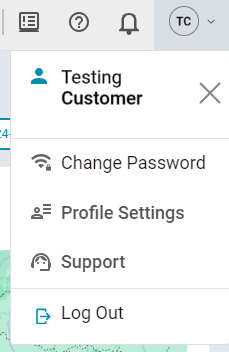
Profile Settings
The profile settings are divided into Edit User and User Settings.
Edit User shows all editable details of the logged in account. This includes the login e-mail address, the name and the time zone.
More general settings, such as Evaluation Page Setting and settings for the alarm notifications, are available under User Settings.
Support
Do you have questions about cloud functions or problems using our devices? Here you can see how to contact us (support @tempmate.com)
Alarm Notifications
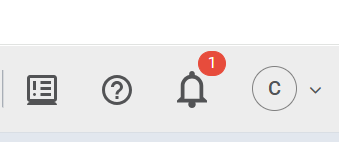
The small notification bell from the upper right hand provides a quick overview of new unconfirmed alarms that have been sent by our tempmate® real-time data loggers.
News & Improvements
Releases and details of associated new functions of the cloud are published regularly under News And Improvements and can be viewed by the user.
