Users

With the tempmate Cloud, it is not only possible to manage a single company account. But by adding additional users, an organized, clear and secure way of working is guaranteed.


There are 2 methods to add a new user to the company account.

Method 1: Registration by the user via the registration form

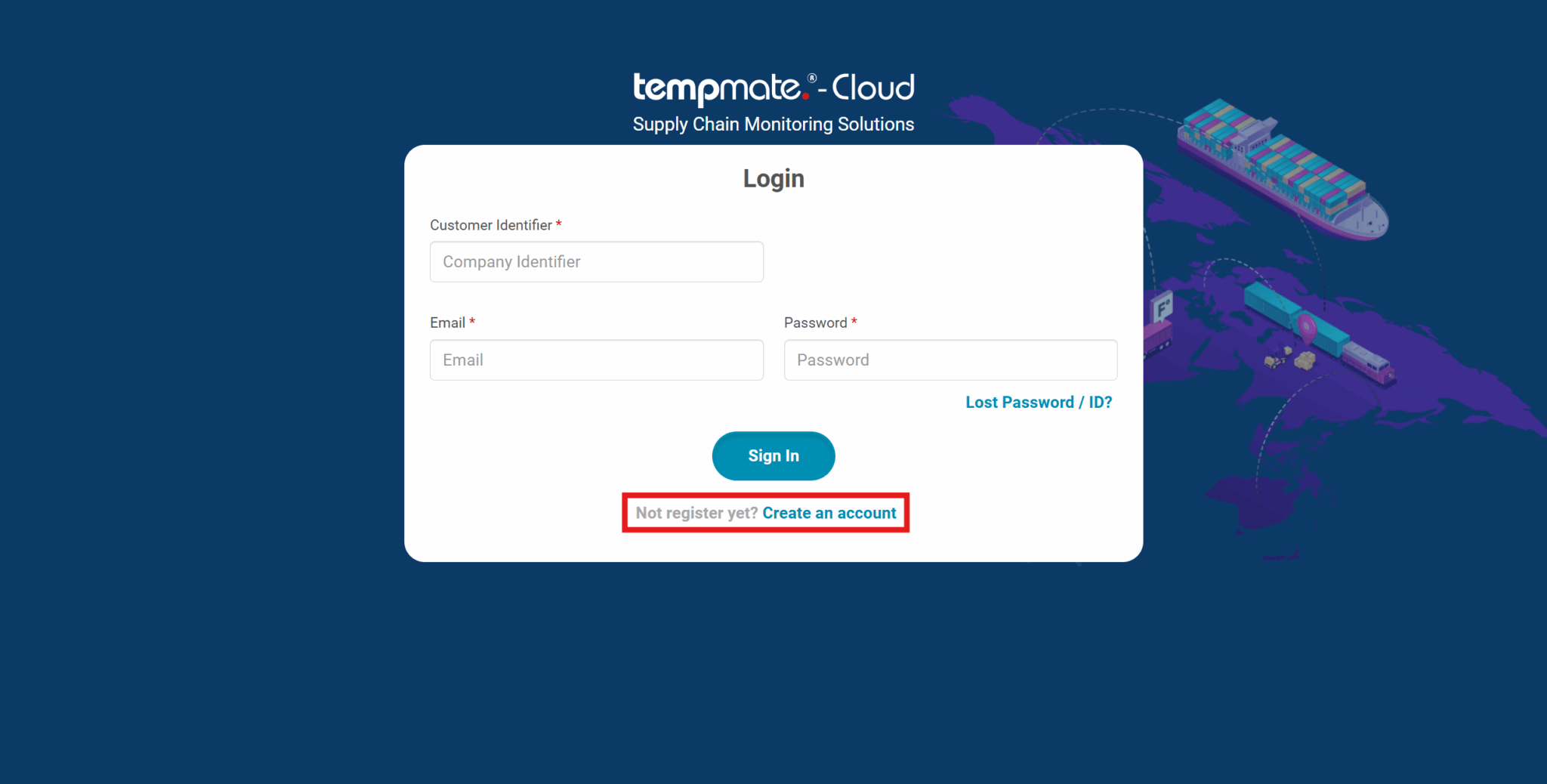
1. Click on Create an account on the login mask.

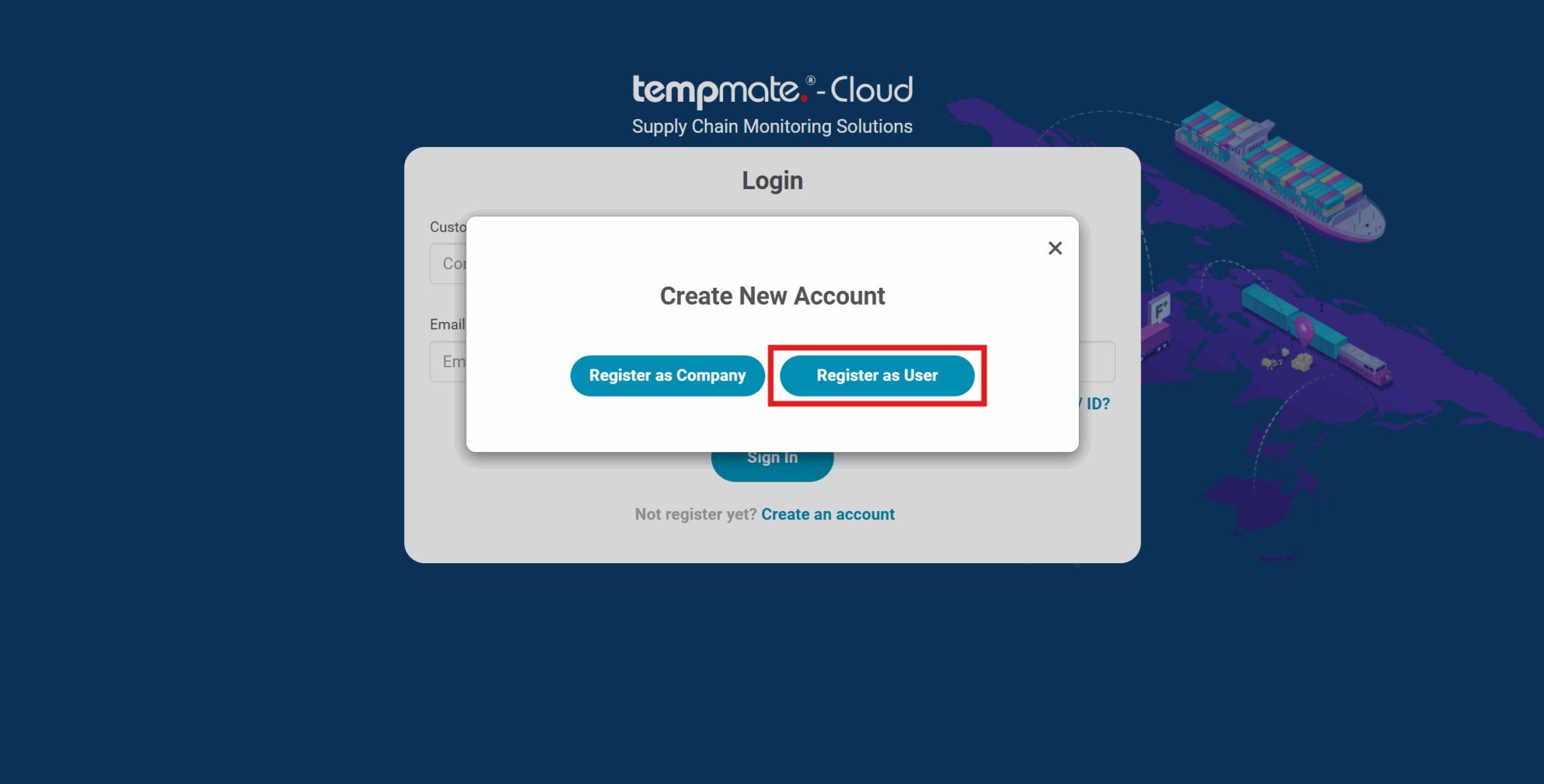
2. Choose Register as User

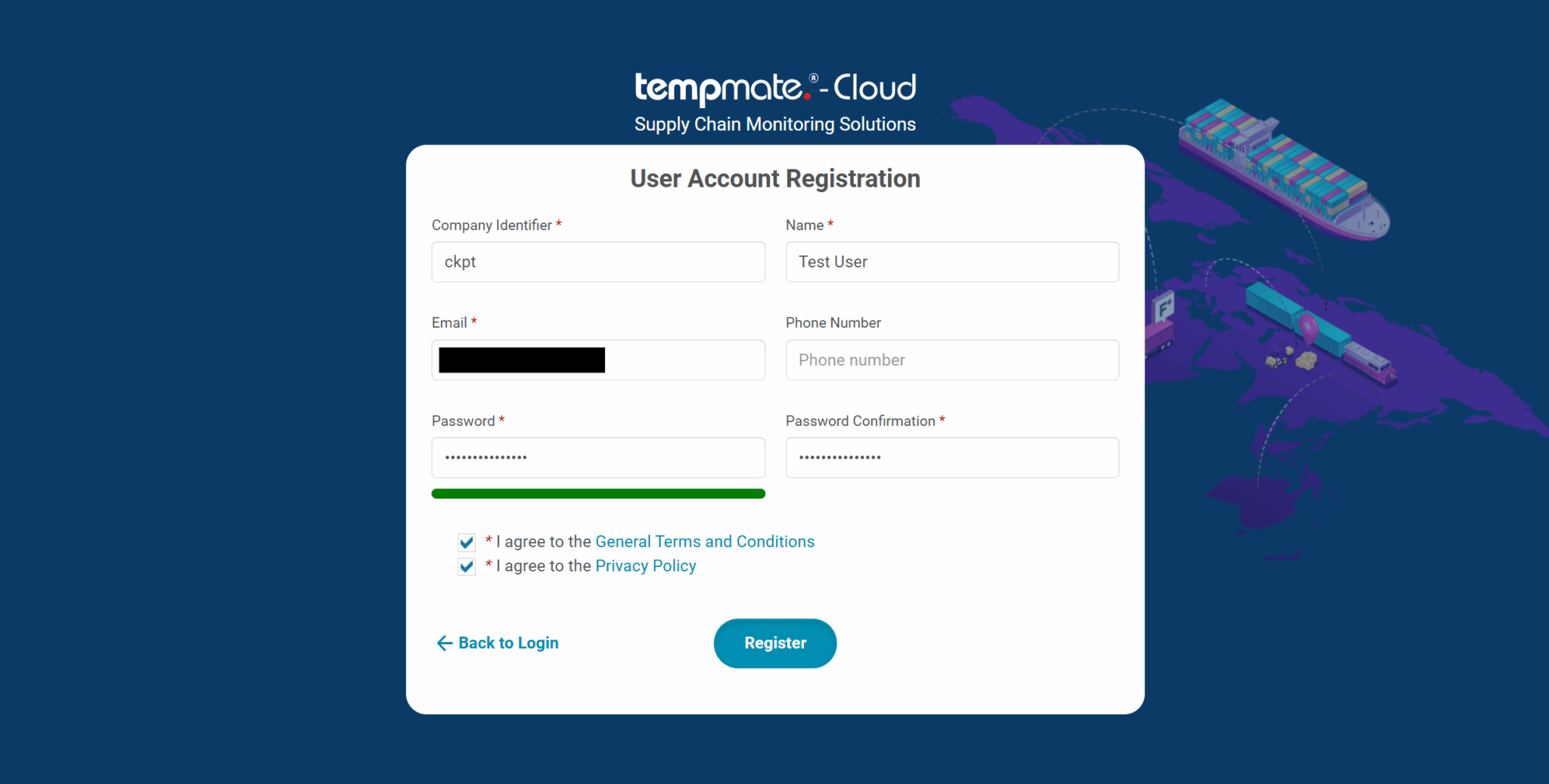
3. Enter the required information and accept both our general terms and conditions and the privacy policy. In order to be able to assign the user correctly, a company identifier (CID) must be specified. This is the CID of the company account and should be requested from the account administrator if necessary.

4. Click on Register

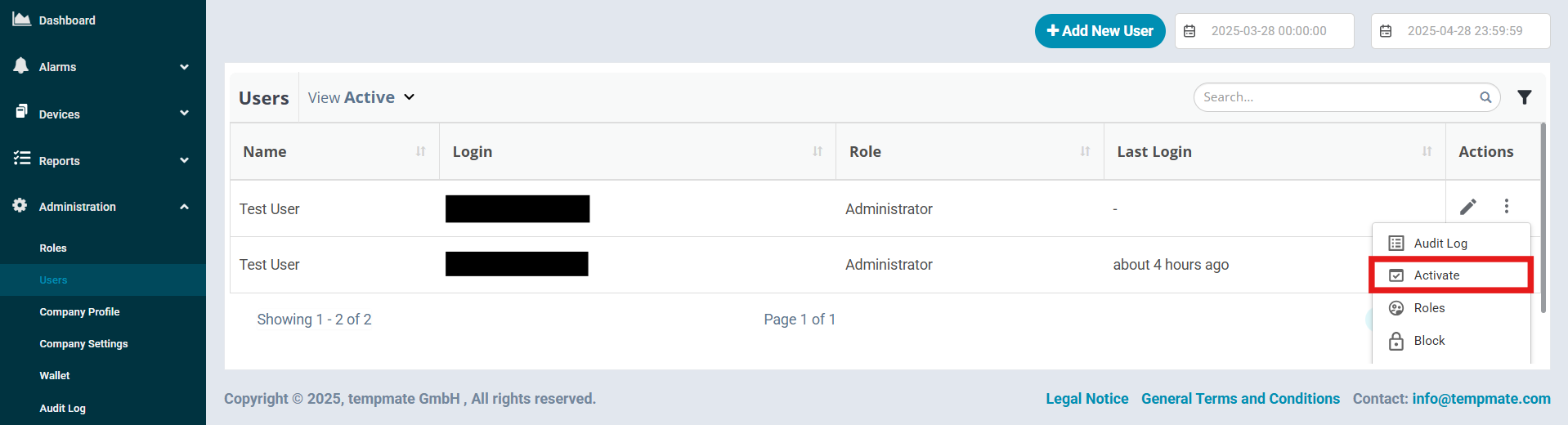
5. Security is the top priority in the tempmate cloud. To prevent unauthorized persons from gaining access to the data, it is first necessary for the account administrator to confirm the user within the Users list. By clicking on the 3 dots (“More”-menu) and selecting “Activate” the respective user is able to work with the company devices.

Method 2: Adding a new user through the account administrator

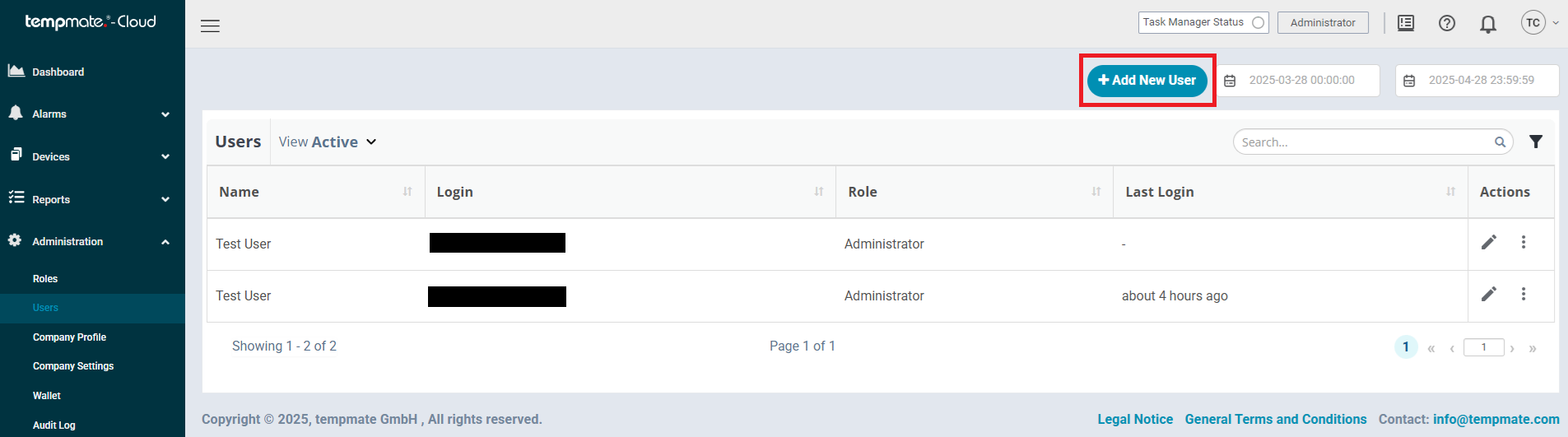
1. Navigate to Adminstration → Users and click on Add New User on the top right

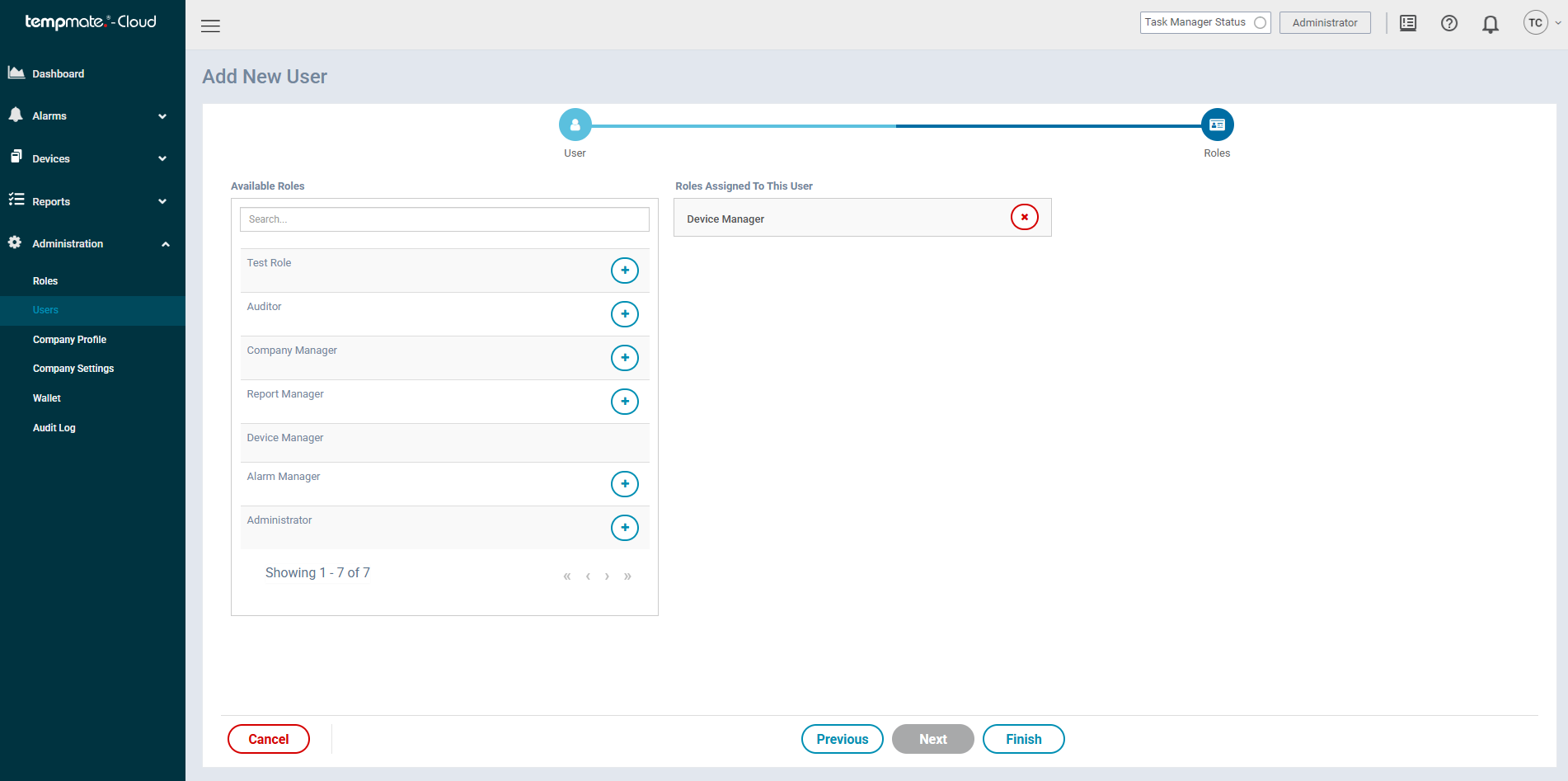
2. After clicking on Next, the Roles overview appears. Select a suitable role with appropriate rights for the new user that corresponds to their field of activity.

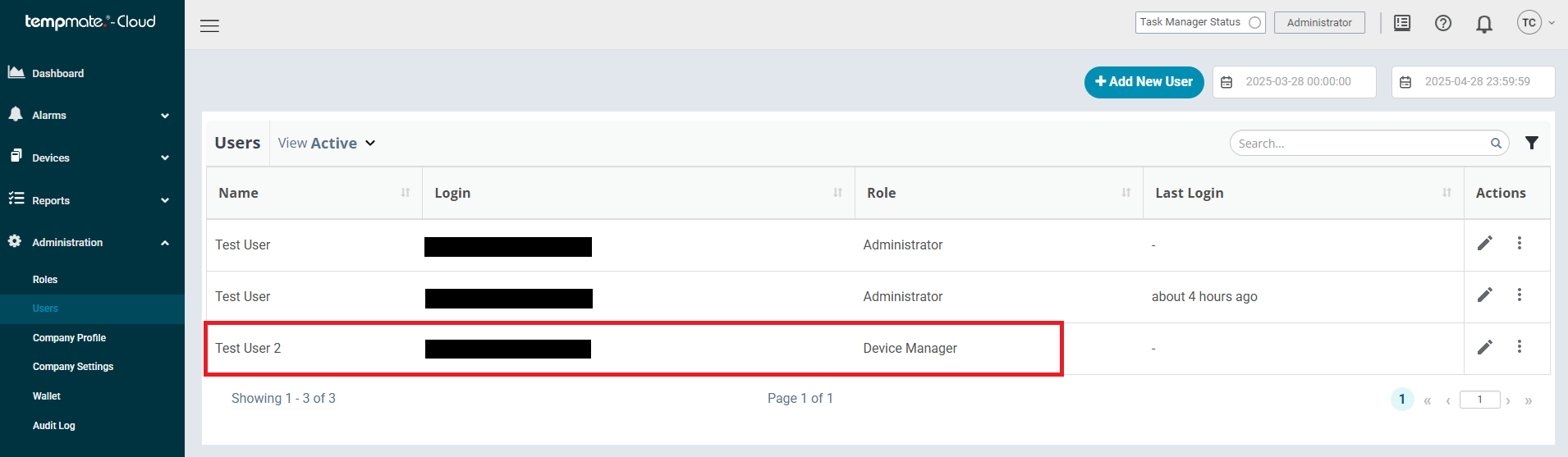
3. Finish the creation process. The data entered must now be made available to the new company user.

4. After the process has been successfully completed, the added user will receive a notification e-mail to the specified e-mail address. The company identifier and the login e-mail can be viewed in this e-mail. For security reasons, the password must be provided to the user separately via the administrator.

Zentralisieren Sie Ihre Versanddaten in Echtzeit in einer einzigen zuverlässigen Quelle – Entdecken Sie tempmate.® – Cloud-Tarife.

tempmate.®

Geben Sie Ihre E-Mail-Adresse an, um die Datei herunterzuladen

Ich möchte die tempbase Mac-Version-Software herunterladen

protected with Google reCAPTCHA - Privacy